Research
In-App Flows
Sign in
In-App Flows
/
iOS
/
Kakao Pay
/
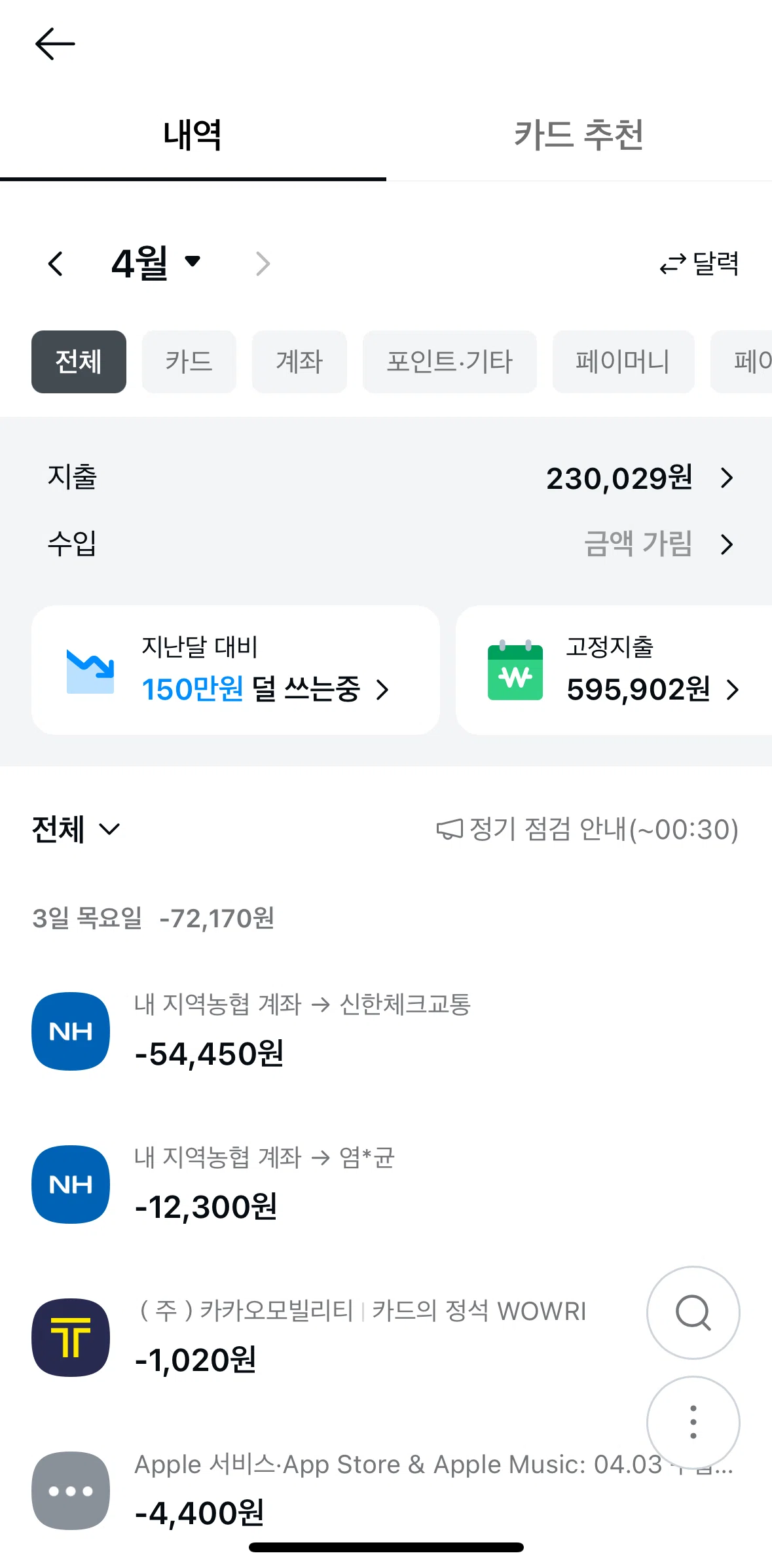
Changing transaction history date
APP
Kakao Pay
iOS
View App details
→
Screens
Flows
Showing
3
screens
Account
Account details
Account information
Adding a note
Adding money
Apply for a loan
Article detail
Asking AI a question
Asset connection settings
Assets
ATM information
ATM map
ATM withdrawal
Benefits
Bill information
Billing
Block unwanted spam calls
Buying a stock
Card actions
Card amount
Card recommendation
Change currency
Change main card
Change payment method
Changing account name
Changing card signature
Changing password
Changing payment amount
Changing transaction history date
Chart options
Chat with paybot
Chat with points support
Chatting with support
Checking for fraud
Chunsik Farm
Collect stocks
Collecting a stock
Collecting Stocks
Completing a profile analysis
Coupons
Creating a hospital document
Creating an insurance claim
Creating an insurance claim (finding a hospital)
Credit information
Credit Score
Credit score detail
Credit score tip
Customer care
Customer Service
Daily attendance
Daily points
Delete an account
Deposit detail
Dividend
Download history
Downloading a coupon
Edit account
Edit job details
Edit tax country
Editing chart settings
Editing transfer limit
Enable money transfer
Exchange money
Expense detail
Family security
Filtering plans
Finding a transfer confirmation
Finding places near me
Fixed expenses
Frequently asked questions
Fund
Gift certificate
Good deals
Home
Inactive cards
Insurance
Insurance coverage
Insurance results
Investments
Linking with financial institutions
Loan detail
Loan tips
Logging out
Making a payment
Manage account password
Manage connected services
Managing notifications
Membership
Membership detail
Menu
Mobile plan
More information
More payment options
More shops
My benefits
My card limit
My information
My loan
My pay money options
My QR Code
Newstory
Notification detail
Notifications
Onboarding
Order detail
Overseas payment
Pay history options
Pay Money
Pay money user manual
Payment
Payment history
Payment methods
Payment settings
Pension
Points detail
Points information
Popular stocks
Prepaid electronic receipt
Profile visibility settings
QR code payment
Raise credit score
Raising a hand
Recharge account
Remaining installments
Remittance near me
Reordering accounts
Report a problem
Savings challenge
Search a workplace
Search an address
Searching a financial institution
Searching a stock
Searching a trade
Searching a transaction
Searching deals
Searching Kakao Pay
Searching places
Securities
Security settings
See other stocks
Selling a stock
Sending an inquiry
Sending money
Setting up auto payments
Settings
Share QR code
Sorting assets
Spending
Step Counter
Stock confirmation
Stock detail (chart)
Switching chart view
Switching to calendar view
Switching to list view
Tax deduction
Terms of service
Total assets
Total spending
Trading journal
Transaction confirmation
Travlog card
View full screen
View step mission
View transfer confirmation
Widgets
Withdrawal detail
FLOW
Changing transaction history date
Archived Jun 2, 2025
1
Screen
Free
PRO
Member-only screen
Unlock with membership
2
Locked
PRO
Member-only screen
Unlock with membership
3
Locked
Download original
×
Sign in to download
Screenshot downloads are available to Applode members.
Sign in